Today's smartphones are becoming increasingly advanced with every new release. Modern devices come with faster processors, better displays, improved cameras, and more features than their predecessors. However, older smartphones can still benefit from display optimisation when their hardware supports different refresh-rate modes.
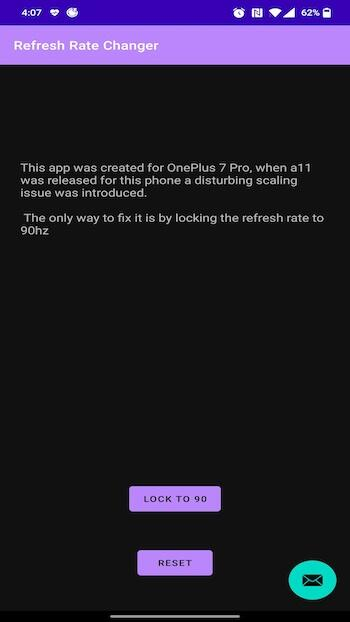
Refresh Rate Changer is designed to help users manage their device's display refresh rate. By selecting an available refresh-rate option, you may be able to make supported phones feel smoother during gaming, scrolling, and everyday use.
A refresh rate refers to how many times your screen updates the image every second. A higher refresh rate can make animations and movement appear smoother. While 60Hz remains common on many smartphones, newer devices may support 90Hz, 120Hz, 144Hz, or even higher refresh rates.
Features of Refresh Rate Changer APK
How can a higher refresh rate improve your experience? Here are some of the main reasons users may want to try Refresh Rate Changer:
Great for Gaming
Gaming is one of the biggest reasons people prefer higher refresh rates. Many modern mobile games can take advantage of high-refresh-rate displays, provided that both the game and smartphone hardware support the required setting.
A higher refresh rate can make supported gameplay look smoother and can reduce the visual delay between individual frames. This can be particularly useful in fast-paced multiplayer games where quick reactions are important.
Improve Your Scrolling Experience
A higher refresh rate can also make everyday scrolling feel more fluid. Try scrolling through your home screen, app drawer, or social media feeds to see the difference between standard and higher refresh-rate modes.
Animations, menus, and page transitions can appear noticeably smoother when your smartphone is running at a supported higher refresh rate.
Smoother Videos
Refresh Rate Changer can also be useful when watching supported video content. Although the video's original frame rate is still important, a higher display refresh rate can make compatible animations and interface transitions feel more fluid.
This can be especially noticeable on smartphones with larger or high-quality displays.
Different Refresh Rates
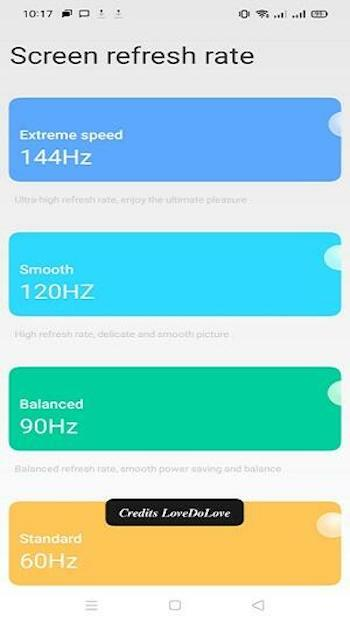
Refresh Rate Changer may provide access to multiple refresh-rate options depending on your smartphone and Android version. Standard 60Hz can offer a balance between smoothness and power consumption, while 90Hz or 120Hz can provide a more fluid experience.
Some compatible devices may also support 144Hz or higher. Users searching for a refresh rate changer APK 240Hz should understand that installing an app cannot magically make a 60Hz display operate at 240Hz. A 240Hz mode is only possible when the device's display hardware and software support it.
Easy to Use
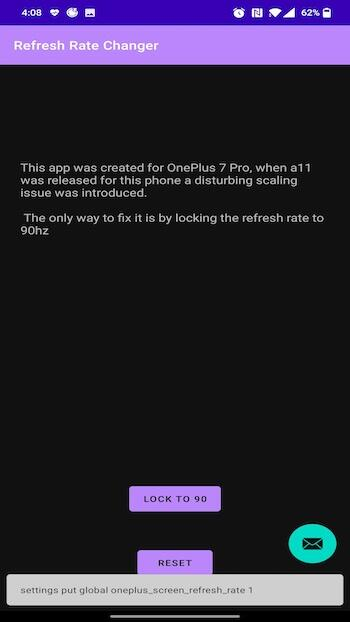
One of the advantages of a refresh rate changer is its straightforward approach. Instead of repeatedly searching through system settings, users can select an available refresh-rate option when supported by their device.
However, available settings can vary significantly between smartphone models. Some devices may restrict refresh-rate controls to specific modes, while others may automatically switch between refresh rates to balance smoothness and battery life.
How the Refresh Rate Changer Works
A screen's refresh rate determines how many times the display updates its image every second. It is measured in Hertz (Hz). For example, a 60Hz display can refresh the image up to 60 times per second, while a 120Hz display can refresh it up to 120 times per second.
This technology is used across smartphones, tablets, monitors, and televisions. On smartphones, higher refresh rates can make supported animations, scrolling, and games appear smoother.
With Refresh Rate Changer, users can select an available refresh-rate mode on compatible devices. If your smartphone supports 90Hz, 120Hz, 144Hz, or another higher setting, switching to that mode can make the overall interface feel more responsive and fluid.
The difference can be noticed while playing games, browsing the app drawer, scrolling through websites, navigating menus, and opening applications.
However, a higher refresh rate does not automatically improve every aspect of performance. The phone's processor, GPU, game optimisation, display hardware, and battery capacity also affect the overall experience.
Does a Higher Refresh Rate Use More Battery?
In many cases, yes. Running a display at a higher refresh rate can consume more power because the screen updates more frequently. This is why some smartphones include adaptive refresh-rate technology that automatically changes the refresh rate according to what you're doing.
For gaming or smooth scrolling, a higher refresh rate may be worthwhile. For basic tasks where battery life is more important, a lower refresh rate can provide a better balance.
Is 240Hz Available on Every Phone?
No. Searching for a refresh rate changer APK 240Hz may lead users to apps claiming to unlock 240Hz, but software alone cannot create a refresh rate that the physical display does not support.
Always check your smartphone's official specifications before attempting to use a higher refresh-rate setting. If the hardware supports only 60Hz, an app cannot turn the panel into a genuine 120Hz, 144Hz, or 240Hz display.
Conclusion
Refresh Rate Changer can be a useful tool for users who want more control over the refresh-rate settings available on their Android smartphones. A supported higher refresh rate can make gaming, scrolling, animations, and general navigation feel smoother.
The key is to use a refresh rate that your device actually supports. Whether your smartphone offers 90Hz, 120Hz, 144Hz, or another mode, choosing the appropriate setting can help you find the right balance between smoothness and battery usage.
If you're looking for a refresh rate changer apk 240hz, remember to verify your phone's display specifications first and download applications only from trustworthy sources.